Artificial Intelligence that reduces your daily workload
Automate responses, explain reports in plain language and query your buildings from your AI assistant. Less manual work, more time to manage.
Before and after Artificial Intelligence in GC
Less manual work, more support in day-to-day management.
Without GC AI
- – Manually review every email before sending
- – Describe occurrences based on notes or photos
- – Analyze values and justify budgets with more effort
- – Be constantly available to answer frequent questions
- – Translate accounts reports for people who do not read accounting
- – Key in the previous manager's statements when taking over a building
- – Open the GC and navigate to the right screen to answer a simple question
With GC AI
- ✔ Improve email texts in seconds before sending
- ✔ Automatically generate occurrence descriptions from photos
- ✔ Receive budget suggestions with clear justification
- ✔ Provide a 24/7 online assistant to support property owners
- ✔ Ask for a plain-language explanation of the report, ready to share
- ✔ Upload the previous manager's file and let the AI fill in the debts
- ✔ Ask your AI assistant and get the answer without opening the GC
Artificial Intelligence Features
Practical tools to reduce manual effort and improve daily management.
Smart email review
Improve email texts before sending, with clearer, more professional and objective suggestions.
- ✔ Reviews text before sending
- ✔ Improves clarity and tone
- ✔ Helps you respond faster
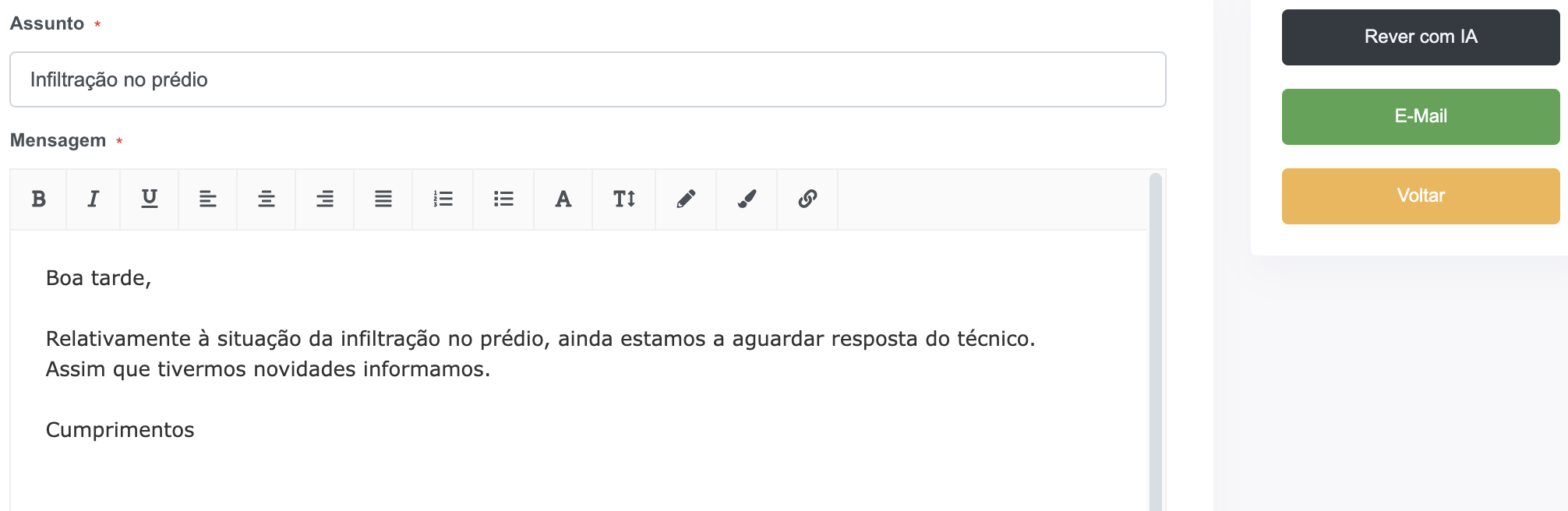
In seconds, AI transforms a basic email into a clearer, more professional message ready to send.

Occurrence description from photos
AI helps transform images into useful descriptions for logging and tracking.
- ✔ Generates text from photos
- ✔ Saves time during registration
- ✔ Improves communication of the issue
A water infiltration has been identified near the interior wall, with visible signs of humidity and paint deterioration. A technical inspection is recommended to determine the source of the issue and assess the need for repair.
Budget suggestion with justification
Receive value suggestions based on data, with support for budget justification.
- ✔ Suggests values based on historical data
- ✔ Includes clear justification
- ✔ Supports budget preparation
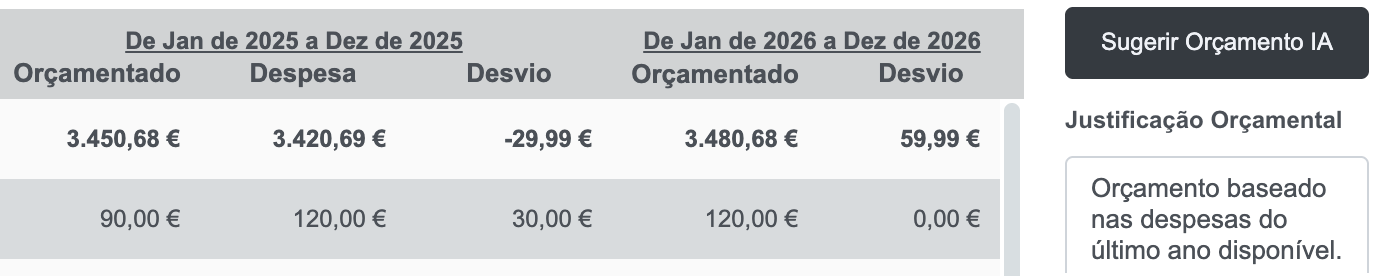
Budget based on expenses from the most recent year available, with support in justifying the proposed values.
24/7 online assistant
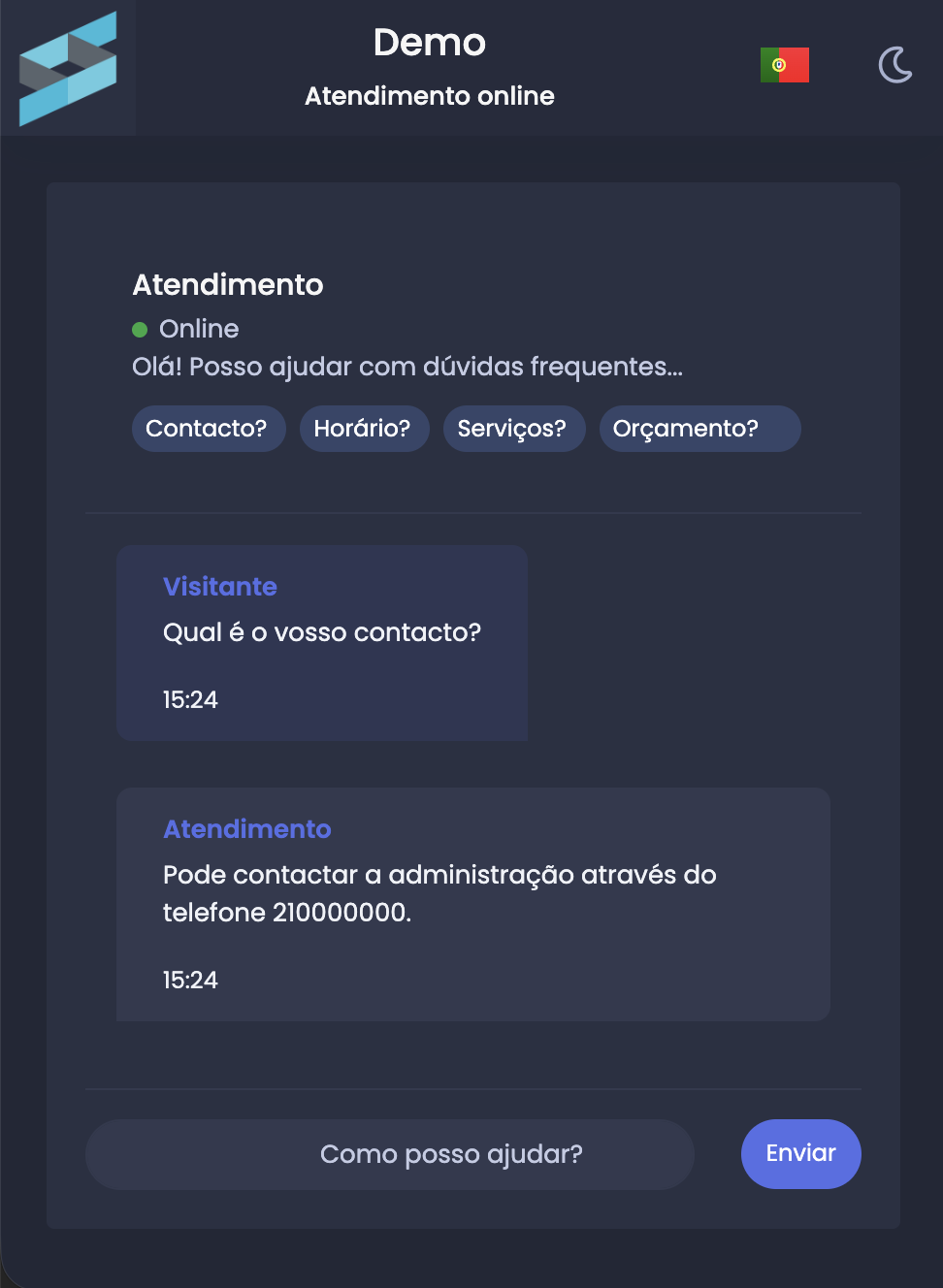
Provide an online assistant to answer frequent questions, guide requests, and reinforce support for property owners, both in the portal and external channels. Available on the higher-capacity AI plans.
- ✔ Available 24 hours a day
- ✔ Answers frequent questions in seconds
- ✔ Can be used in the portal and externally
- ✔ Fully integrated into the GC ecosystem
Available to answer frequent questions, guide requests, and reinforce user support, both within the portal and across external channels.
Query the GC from your AI assistant
Connect the GC to Claude, ChatGPT or another assistant and ask about your buildings in plain language, without opening the application and without writing a single line of code.
- ✔ Ask in plain language and get the answer in the conversation
- ✔ Connects in seconds, with your own GC credentials
- ✔ Queries only: the assistant cannot create, change or delete anything
- ✔ Honours each user's permissions, exactly as the GC does
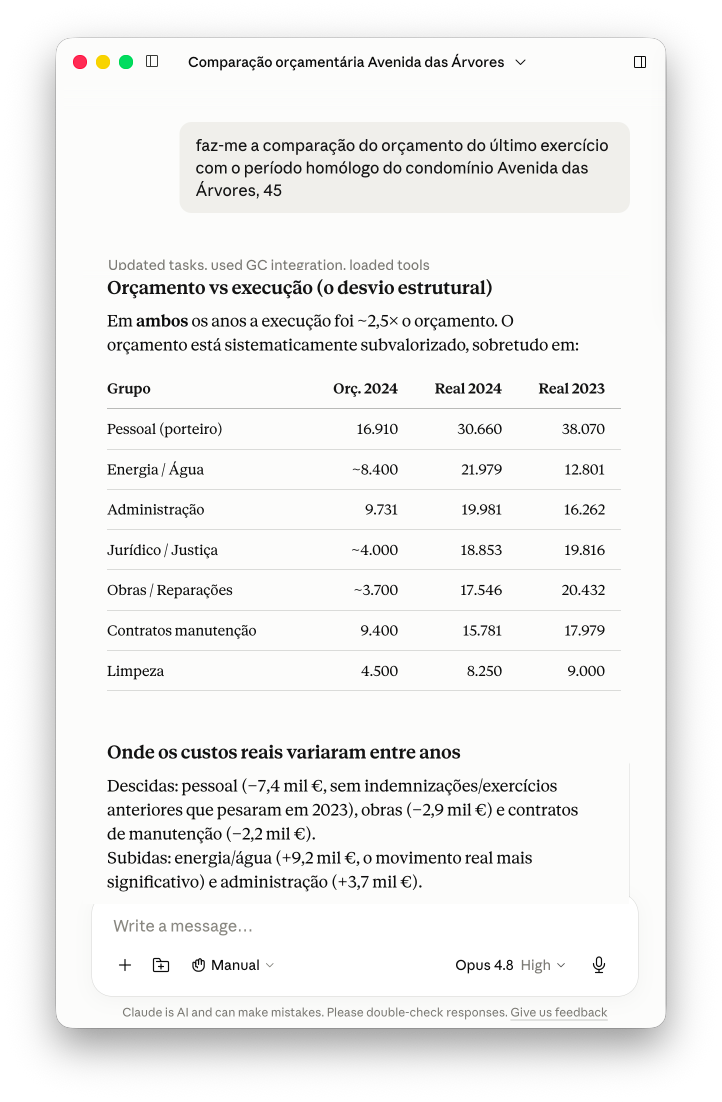
Ask about budget against actuals, who is in arrears, which maintenance issues are open or the year's meetings. The assistant fetches the real figures from the GC and compares financial years without you preparing anything.
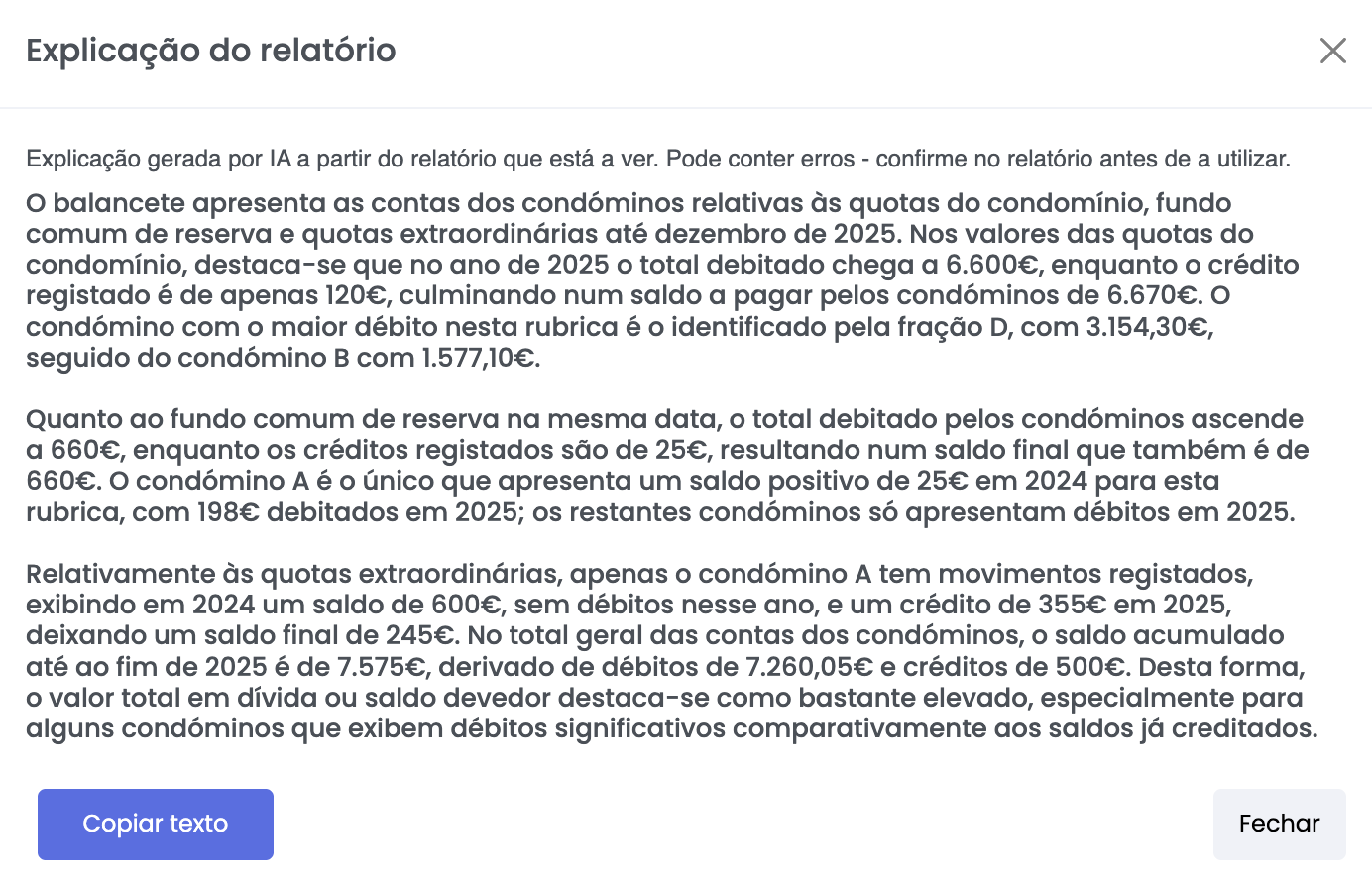
The explanation is drawn from the report being viewed, warns that it may contain errors, and copies to an email or to minutes with one click. It describes what the figures say, without judging the management or recommending decisions.
Reports explained in plain language
Ask the AI to explain the report on your screen. You get plain prose, free of technical terms, ready to share with people who do not read accounts.
- ✔ Explains the report currently being viewed
- ✔ Describes what the figures say, without opinions or recommendations
- ✔ Ready to paste into an email or into minutes
Start a building from the previous manager's files
When creating a building, upload the debt statement you received — in Excel, CSV or PDF, even if it came from another program — and the AI fills in the figures unit by unit.
- ✔ Reads Excel, CSV and PDF files, including reports from other programs
- ✔ Spreads the figures across the unit and the year they belong to
- ✔ The manager checks and corrects before saving
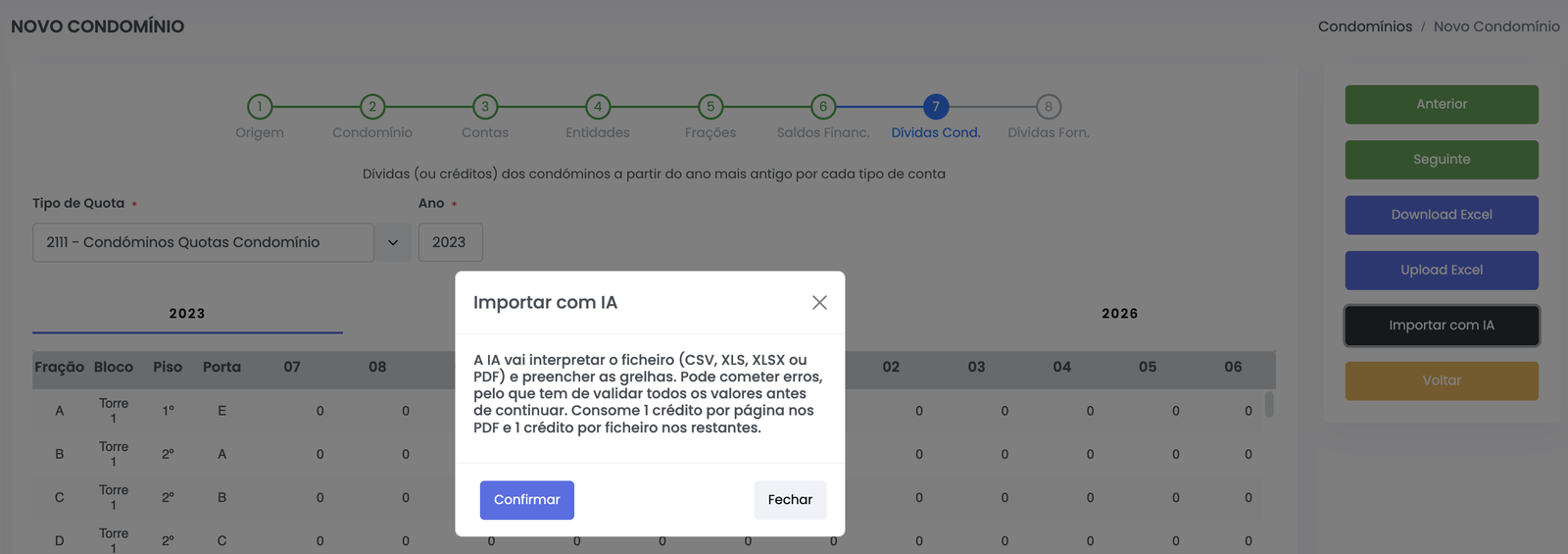
The AI reads the file and spreads the figures across the unit, the fee type and the year they belong to. The manager checks the grids and corrects whatever is needed before moving on.